Scraping Airbnb

Web Scraping and Image Classification with TensorFlow
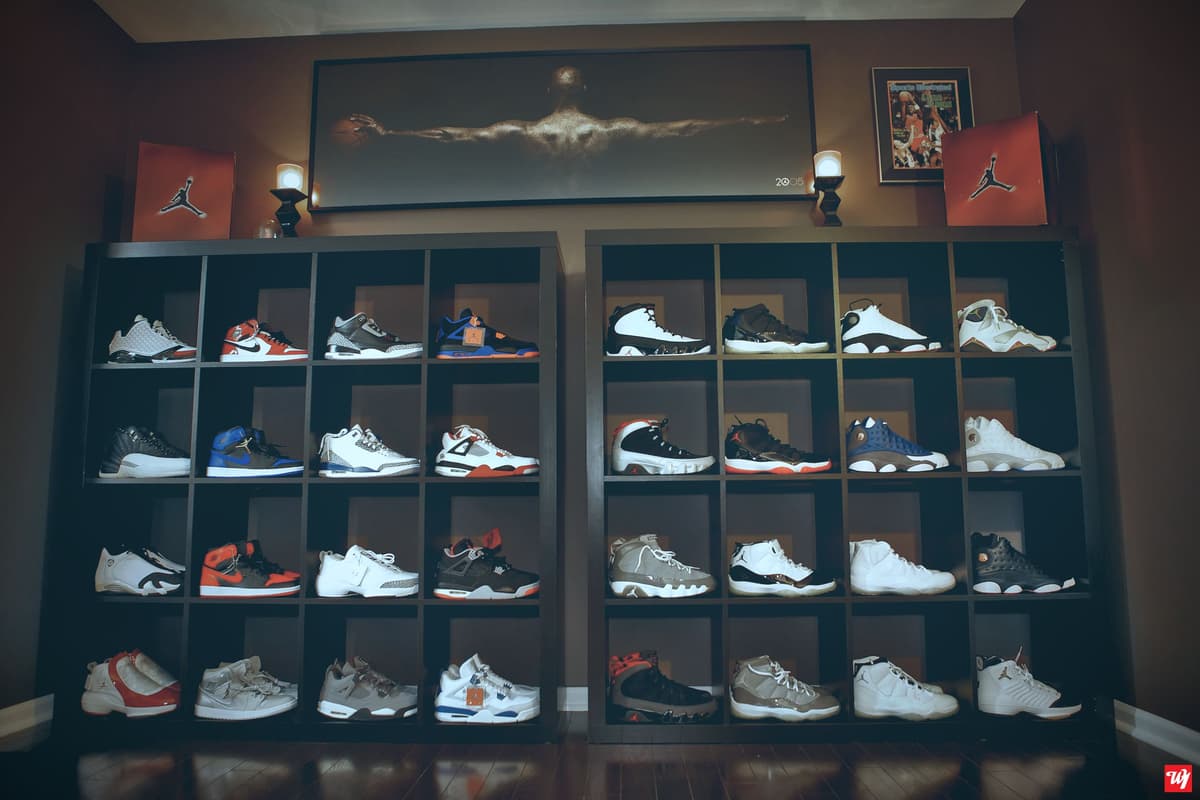
This project demonstrates my ability to combine web scraping techniques with machine learning to classify images. The goal was to build a pipeline that scrapes images of shoes from a website and uses them for training a machine learning model.
Key Features:
- Web Scraping: I utilized
BeautifulSoupandrequeststo scrape images from an e-commerce site, focusing on categories like formal shoes, sneakers, and boots. The images were automatically downloaded and saved into organized directories. - Image Preprocessing: The images were stored in separate folders for training and testing. This organization sets the foundation for an image classification task.
- Model Setup: While the project focuses on scraping, the next logical step (which can be explored further) is to use
TensorFlowandKerasto create a Convolutional Neural Network (CNN) model to classify these images into categories such as sneakers, formal shoes, and boots. - Scalability: The design of the scraping function allows it to easily scale for other shoe categories or even other types of products. Simply by adjusting the URLs and folder names, new categories can be added to the pipeline.
Technologies Used:
- Python: The core language for web scraping and model building.
- TensorFlow & Keras: For machine learning model development.
- BeautifulSoup & Requests: For scraping data from the web.
- PIL & Matplotlib: For handling images and visualizing results.
Why This Project?
This project not only helped me refine my web scraping skills but also gave me hands-on experience in integrating web data with machine learning models. It's an excellent example of how data from websites can be harvested and used in AI-driven applications, such as in e-commerce for product categorization.
💼 Business Impact
This project has the potential to significantly enhance business operations, especially for e-commerce platforms. By automating the categorization and classification of product images, businesses can save time and resources that would otherwise be spent on manual labor. Here are some key business impacts: Improved Product Categorization: Automated image classification ensures accurate categorization of products, which improves the shopping experience for customers. This makes it easier for businesses to organize their inventory and for customers to find what they are looking for quickly. Enhanced Customer Experience: By having accurate and consistent product categories, customers can easily navigate through various types of shoes (e.g., sneakers, formal shoes, boots), leading to improved satisfaction and higher conversion rates.
Code Snippet
from selenium import webdriver
from selenium.webdriver.common.by import By
from selenium.webdriver.support.ui import WebDriverWait
from selenium.webdriver.support import expected_conditions as EC
from time import sleep
from IPython.display import display
import pandas as pd
import re


# Load Data/webscraping

dairbnb=webdriver.Firefox()
airbnb.get('https://www.airbnb.com/')

sleep(10)

airbnb.refresh()

sleep(10)

try:

    #/html/body/div[10]/div/div/section/div
    airbnb.find_element(By.XPATH,"/html/body/div[10]/div/div/section/div/div/div[2]/div/div[1]/button/span").click()
except:
    airbnb.find_element(By.XPATH,"//*[text()='Rooms']").click()
sleep(10)
airbnb.find_element(By.XPATH,'//*[text()="Show more"]').click()
sleep(10)

airbnb.execute_script("window.scrollTo(0, 0)")
sleep(10)

stopScrolling = 0
while True:
        stopScrolling += 1
        airbnb.execute_script("window.scrollBy(0,100)")
        sleep(0.5)
        if stopScrolling > 120:
            break
sleep(3)

airbnb.find_element(By.XPATH,'//*[text()="Show more"]').click()


all_room=airbnb.find_elements(By.XPATH,'//*[@id="site-content"]/div[2]/div[1]/div/div/div/div[1]/div')

rooms=[]
for i in range(1,len(all_room)):
    room=airbnb.find_element(By.XPATH,f'//*[@id="site-content"]/div[2]/div[1]/div/div/div/div[1]/div[{i}]/div/div[2]/div/div/div/div/div/div[2]')
    rooms.append(room.text)

#Data Scraping

data=pd.DataFrame(z)[[0,1,3,7,9,13]]
data[["Location","Owner","employment status","Date","Price","Rating"]]=data[[0,1,3,7,9,13]]
data.drop(data[[0,1,3,7,9,13]],axis=1)